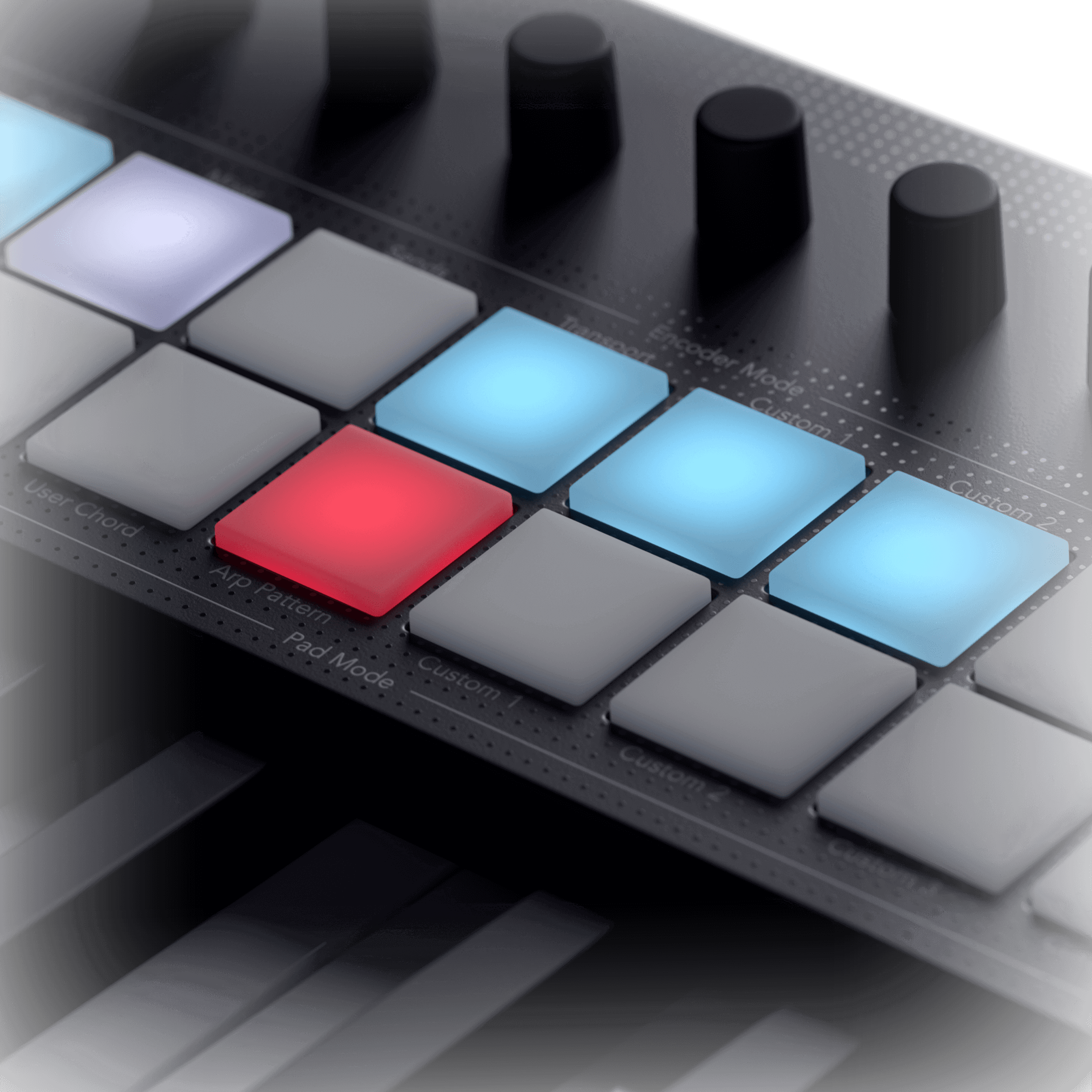
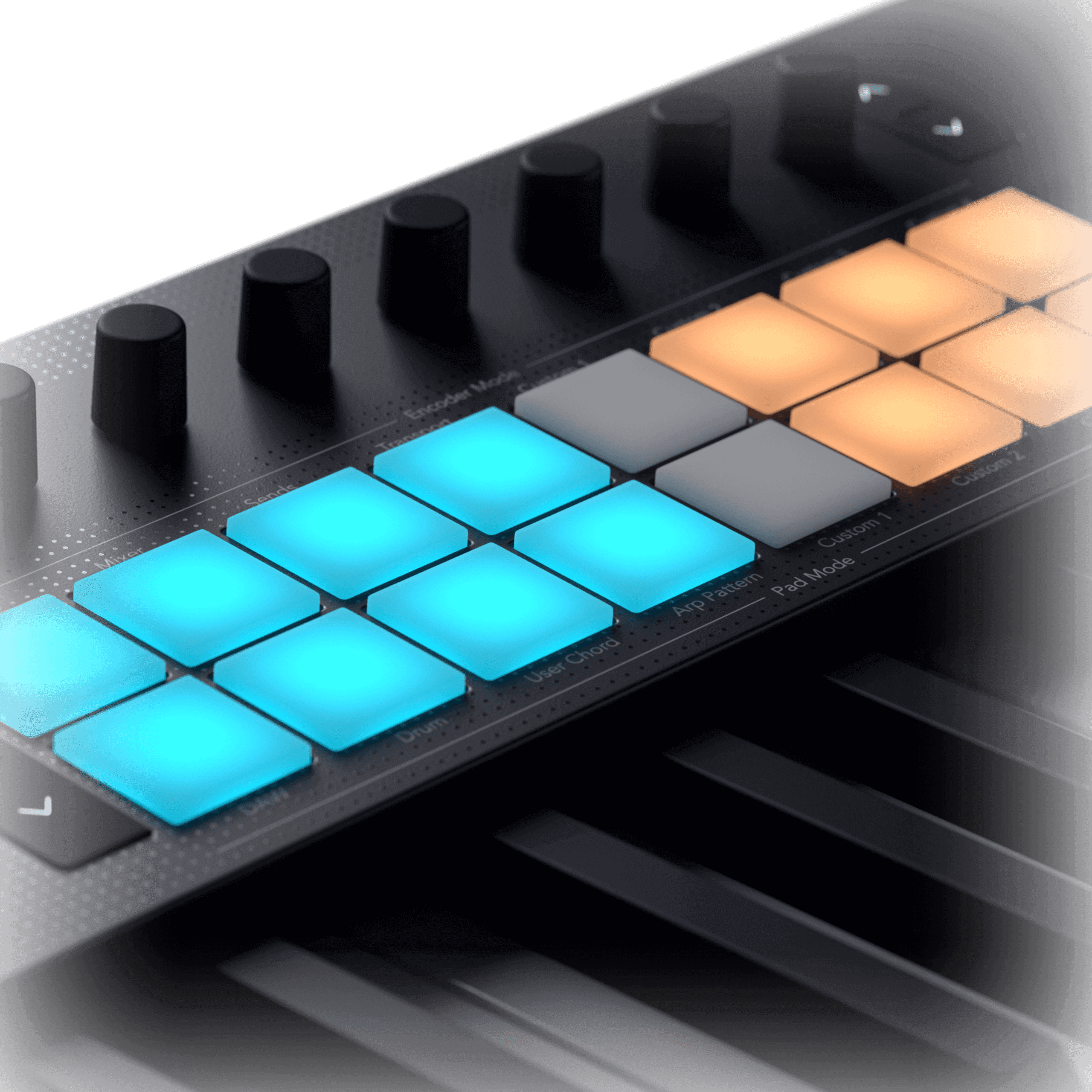
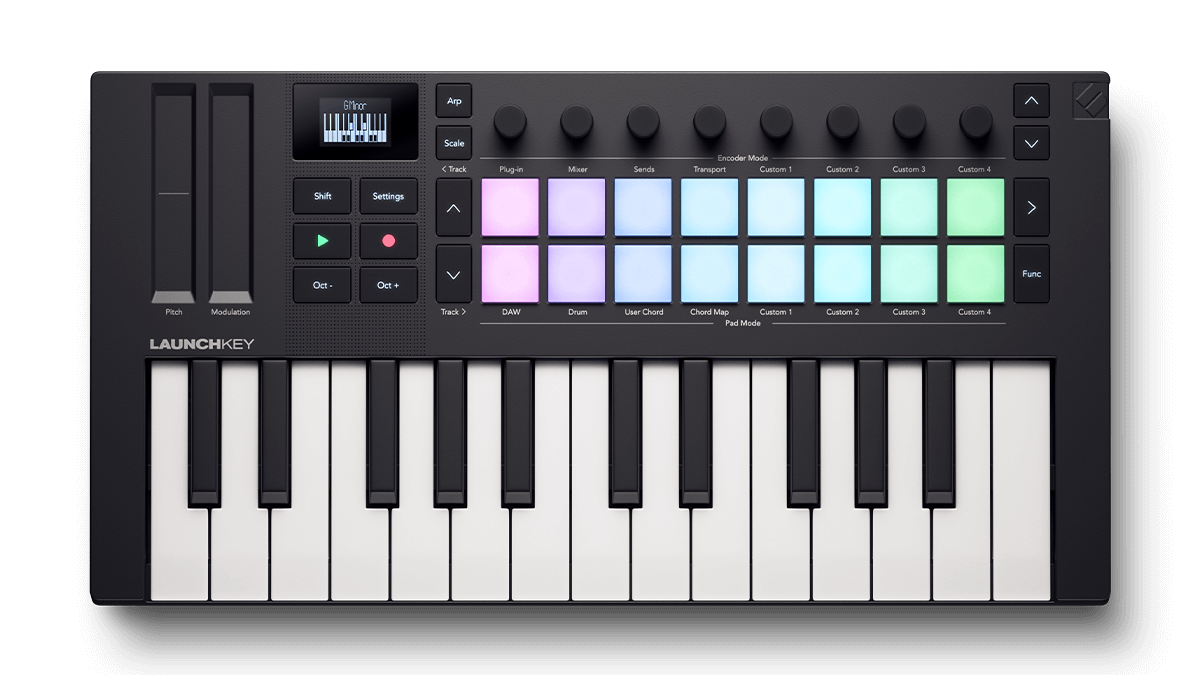
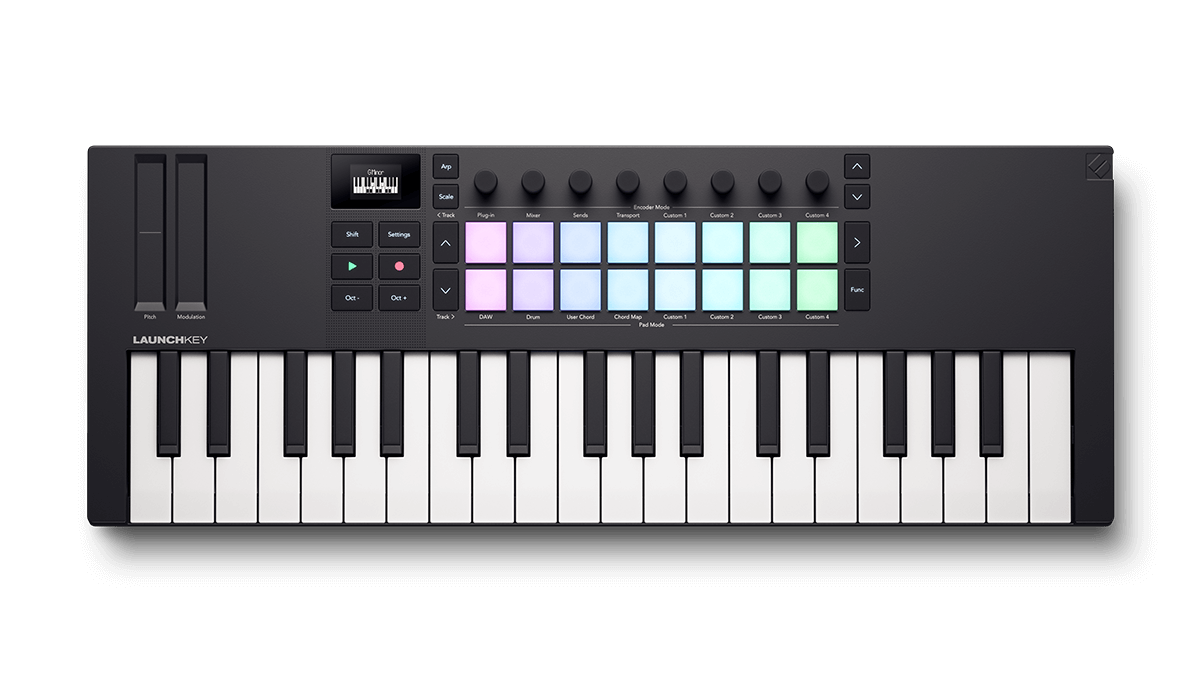
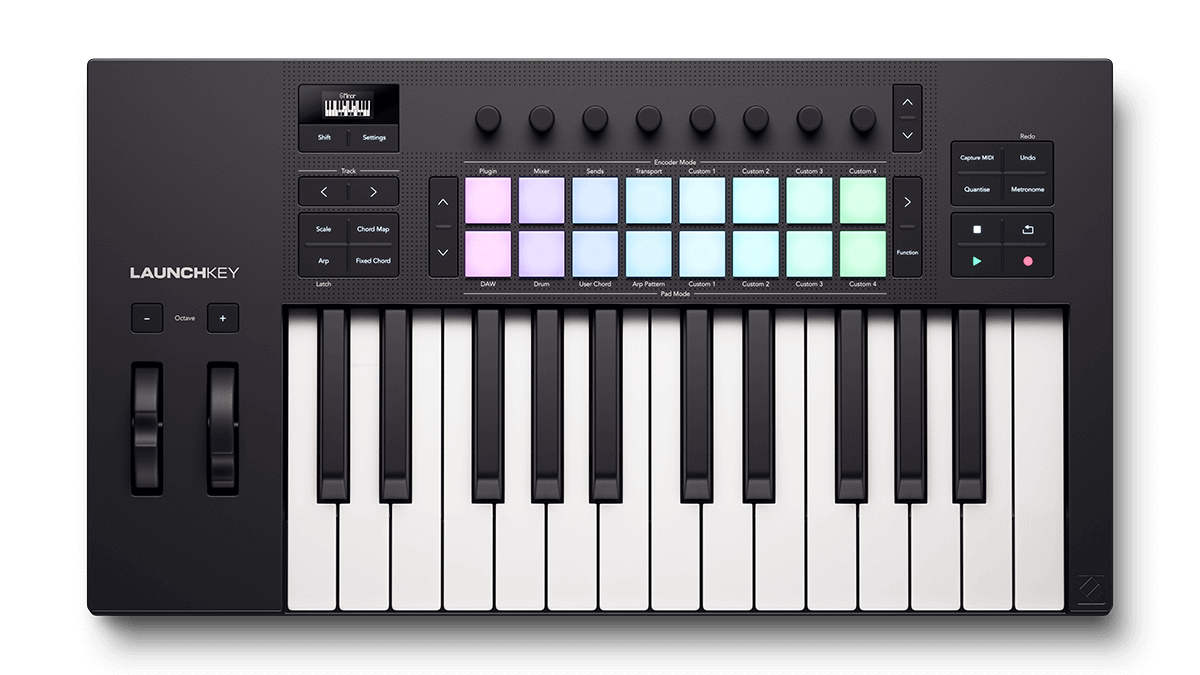
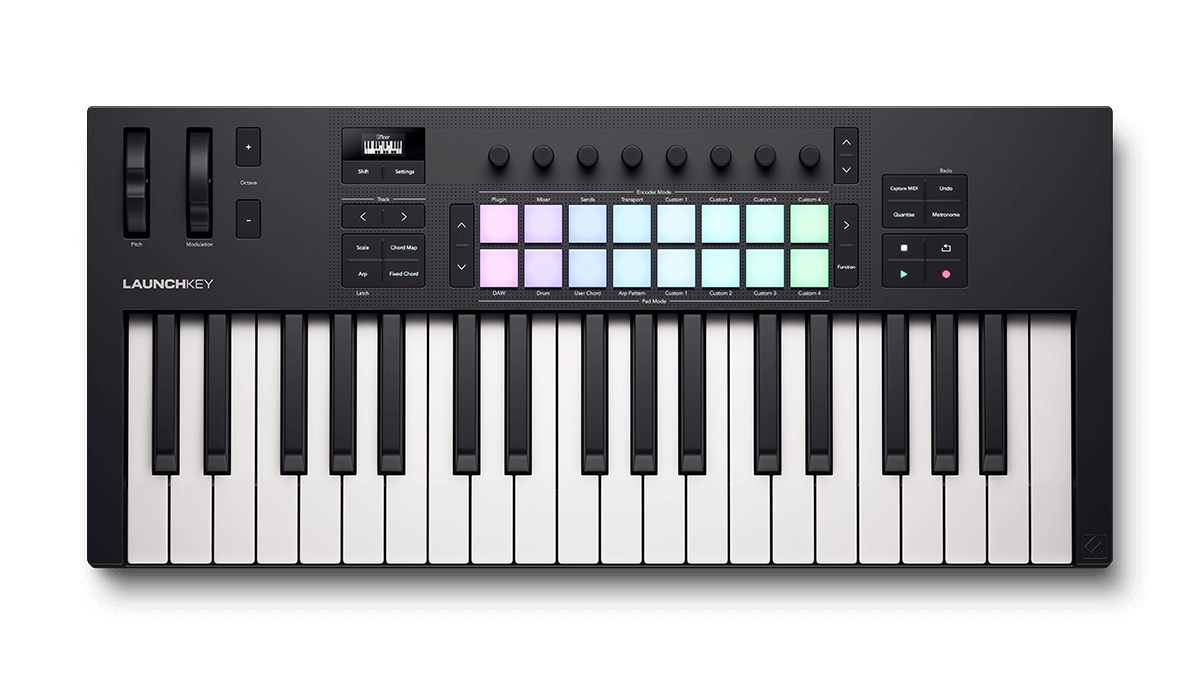
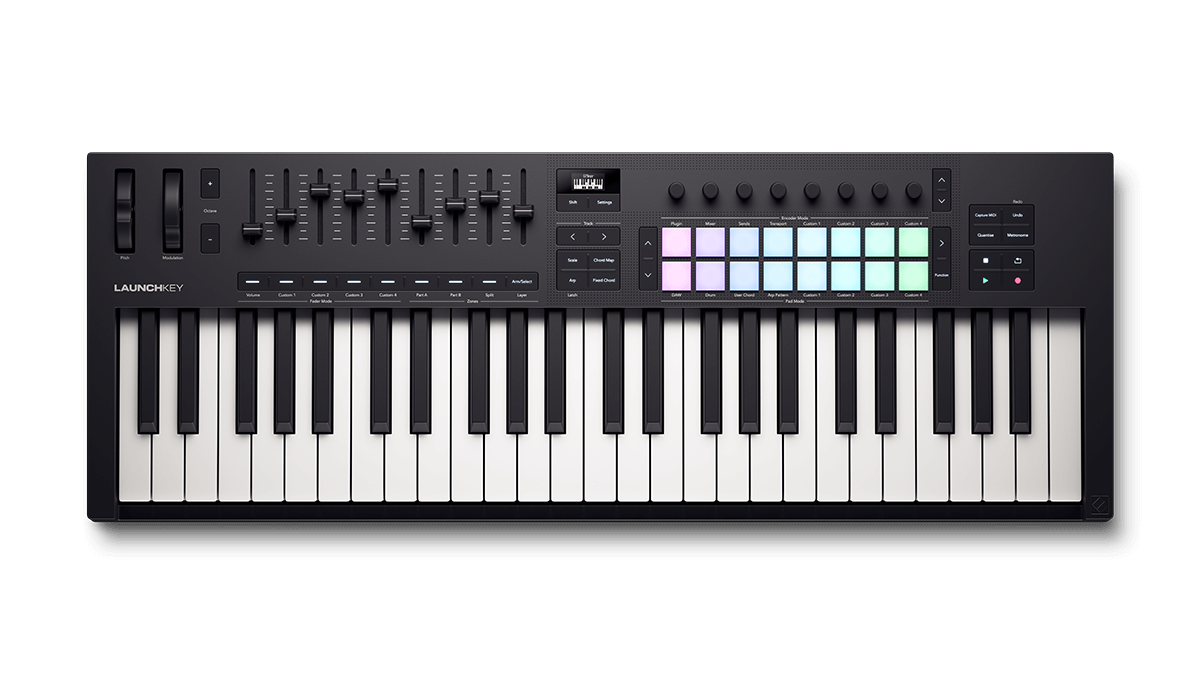
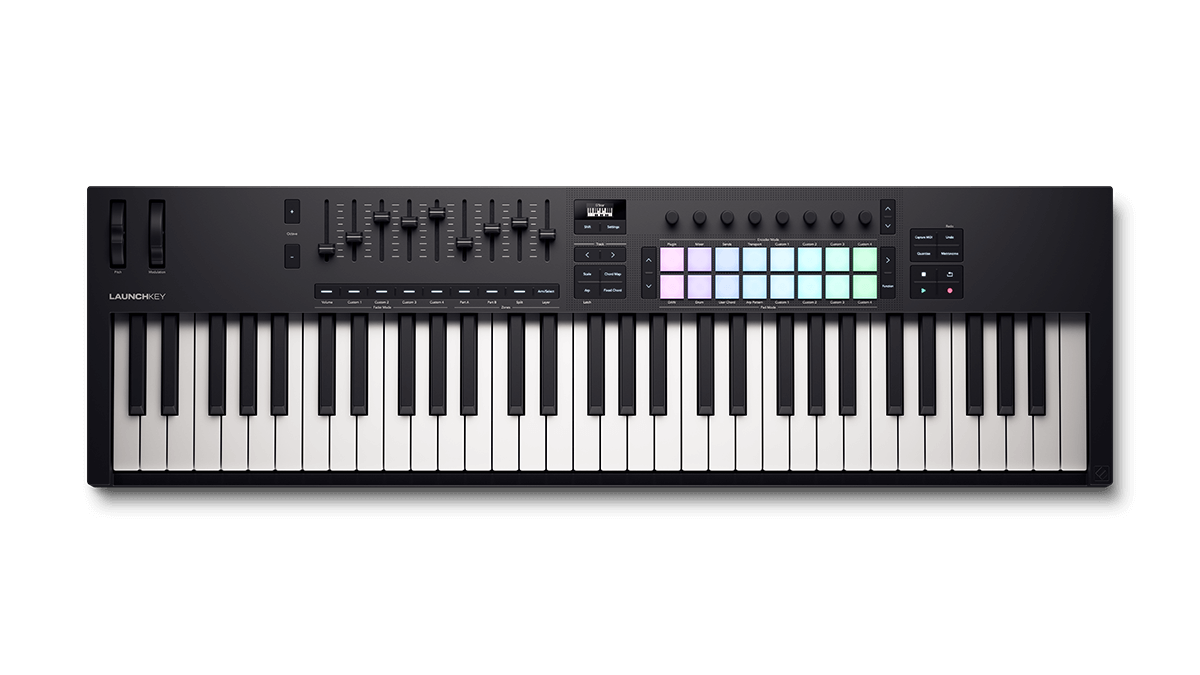
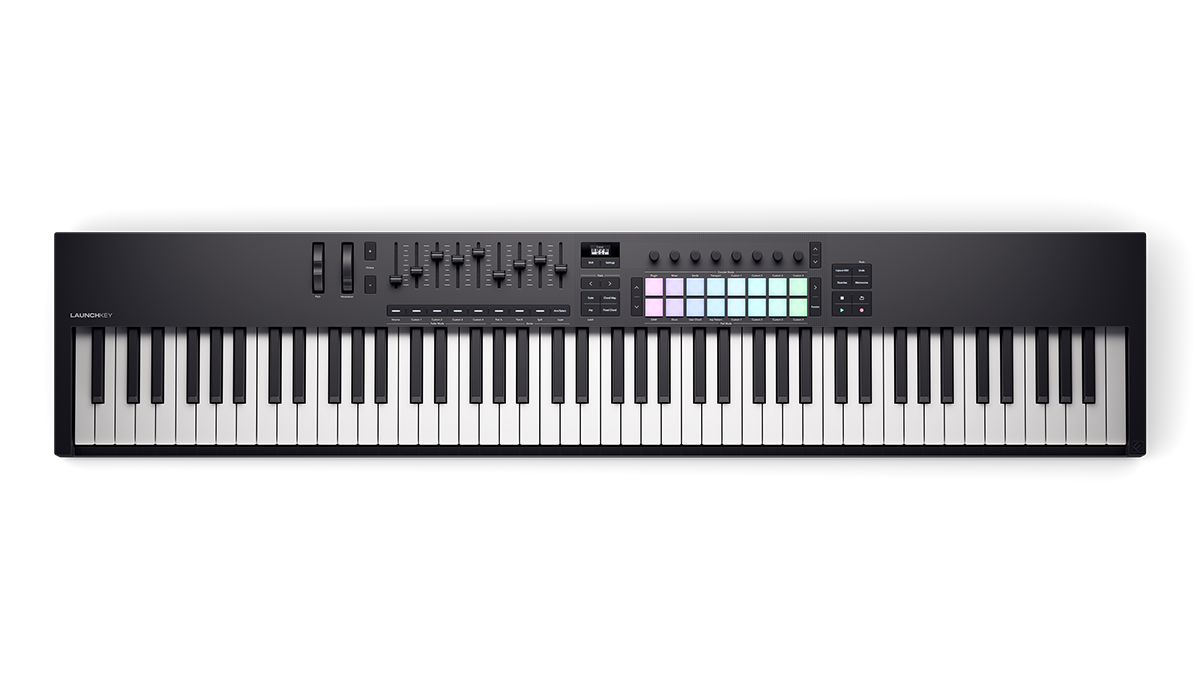
Chord Map allows you to quickly build and play interesting chords using the pads and encoders. To access it on a full-size Launchkey, simply press the Chord Map button. On Launchkey Mini, hold Shift and press pad 12 (labelled Chord Map).
From here, the leftmost eight pads will be highlighted in blue. These are Chord pads. The rightmost six pads, highlighted in orange, are Performance pads.
Press one of the Chord pads to trigger a pre-defined chord in the currently selected scale. The chord you’re currently playing will be shown on the OLED display. You can transpose up and down between octaves using the Up and Down buttons next to the pads.
Hold down one of the orange pads while playing to add performance effects (only one can be used at a time). Available effects include arpeggiation, inversions, and splits — which allow you to play bass notes on the first press of a pad and the rest of the chord with a second press.
For further creative options, encoders 1-4 control Adventure, Explore, Spread, and Roll, respectively. Adventure (Encoder 1) controls how harmonically complex the chords are, Explore (Encoder 2) provides different chord sets at each Adventure level, Spread (Encoder 3) spreads out the notes in the chord over multiple octaves, and Roll (Encoder 4) strums the notes of your chosen chord one by one.
Find out more.


![Novation Launchkey Mini 25 [MK4]](https://cdn11.bigcommerce.com/s-itgb7ssiy1/images/stencil/960w/products/285/829/LKM25-MKIV-Straight-Top-2400-2400__84045.1727450226.png)
![Novation Launchkey Mini 25 [MK4] Left](https://cdn11.bigcommerce.com/s-itgb7ssiy1/images/stencil/500x500/products/285/1017/LKM25-MK4-Left-Top-2400-2400__69257.1756991671.png "Novation Launchkey Mini 25 [MK4] Left")
![Novation Launchkey Mini 37 [MK4]](https://cdn11.bigcommerce.com/s-itgb7ssiy1/images/stencil/960w/products/286/792/LKM37-MKIV-Straight-Top-2400-2400__07152.1722434936.png)
![Novation Launchkey Mini 37 [MK4] Left](https://cdn11.bigcommerce.com/s-itgb7ssiy1/images/stencil/500x500/products/286/1034/LKM37-MK4-Left-Top-2400-2400__84387.1756992605.png "Novation Launchkey Mini 37 [MK4] Left")
![Novation Launchkey 49 [MK4]](https://cdn11.bigcommerce.com/s-itgb7ssiy1/images/stencil/960w/products/289/814/LK49-MKIV-Straight-Top-2400-2400__86910.1722435810.png)
![Novation Launchkey 49 [MK4] Left](https://cdn11.bigcommerce.com/s-itgb7ssiy1/images/stencil/500x500/products/289/1074/LK49-MK4-Left-Top-2400-2400__19580.1756996242.png "Novation Launchkey 49 [MK4] Left")
![Novation Launchkey 88 [MK4]](https://cdn11.bigcommerce.com/s-itgb7ssiy1/images/stencil/960w/products/360/1400/Launchkey-88-Top-2400-2400__26857.1782997339.png)
![Novation Launchkey 88 [MK4] Left](https://cdn11.bigcommerce.com/s-itgb7ssiy1/images/stencil/500x500/products/360/1401/Launchkey-88-Angle-Left-2400-2400__67272.1782997339.png "Novation Launchkey 88 [MK4] Left")
![Novation Launchkey 61 White [MK4] Straight Top](https://cdn11.bigcommerce.com/s-itgb7ssiy1/images/stencil/960w/products/344/1377/Launchkey-61-White-Top-2400-2400__55750.1778507694.png)
![Novation Launchkey 61 White [MK4] Left](https://cdn11.bigcommerce.com/s-itgb7ssiy1/images/stencil/500x500/products/344/1379/Launchkey-61-White-Angle-Left-2400-2400__66379.1778507694.png "Novation Launchkey 61 White [MK4] Left")
![Novation Launchkey Mini 37 White [MK4] Straight Top](https://cdn11.bigcommerce.com/s-itgb7ssiy1/images/stencil/960w/products/299/850/LKM37-MK4-White-Straight-Top-2400-2400__23075.1745397762.png)
![Novation Launchkey Mini 37 White [MK4] Left](https://cdn11.bigcommerce.com/s-itgb7ssiy1/images/stencil/500x500/products/299/848/LKM37-MK4-White-Left-Top-2400-2400__87732.1745336023.png "Novation Launchkey Mini 37 White [MK4] Left")
![Novation Launchkey 25 [MK4]](https://cdn11.bigcommerce.com/s-itgb7ssiy1/images/stencil/960w/products/287/799/LK25-MKIV-Straight-Top-2400-2400__01175.1722435149.png)
![Novation Launchkey 25 [MK4] Left](https://cdn11.bigcommerce.com/s-itgb7ssiy1/images/stencil/500x500/products/287/1047/LK25-MK4-Left-Top-2400-2400__37335.1756993387.png "Novation Launchkey 25 [MK4] Left")
![Novation Launchkey 37 [MK4]](https://cdn11.bigcommerce.com/s-itgb7ssiy1/images/stencil/960w/products/288/807/LK37-MKIV-Straight-Top-2400-2400__07519.1722435242.png)
![Novation Launchkey 37 [MK4] Left](https://cdn11.bigcommerce.com/s-itgb7ssiy1/images/stencil/500x500/products/288/1060/LK37-MK4-Left-Top-2400-2400__44760.1756994313.png "Novation Launchkey 37 [MK4] Left")
![Novation Launchkey 49 White [MK4] Straight Top](https://cdn11.bigcommerce.com/s-itgb7ssiy1/images/stencil/960w/products/300/865/LK49-MK4-White-Straight-Top-2400-2400__59017.1745397945.png)
![Novation Launchkey 49 White [MK4] Left](https://cdn11.bigcommerce.com/s-itgb7ssiy1/images/stencil/500x500/products/300/867/LK49-MK4-White-Left-Top-2400-2400__93648.1745397945.png "Novation Launchkey 49 White [MK4] Left")
![Novation Launchkey 61 [MK4]](https://cdn11.bigcommerce.com/s-itgb7ssiy1/images/stencil/960w/products/290/820/LK61-MKIV-Straight-Top-2400-2400__81380.1722436011.png)
![Novation Launchkey 61 [MK4] Left](https://cdn11.bigcommerce.com/s-itgb7ssiy1/images/stencil/500x500/products/290/1088/LK61-MK4-Left-Top-2400-2400__61968.1756996960.png "Novation Launchkey 61 [MK4] Left")